Word Specialist Certification Program
Hands-on Training from Experts
NYC or Live Online
Get certified as a Word Specialist with hands-on training and exam prep.
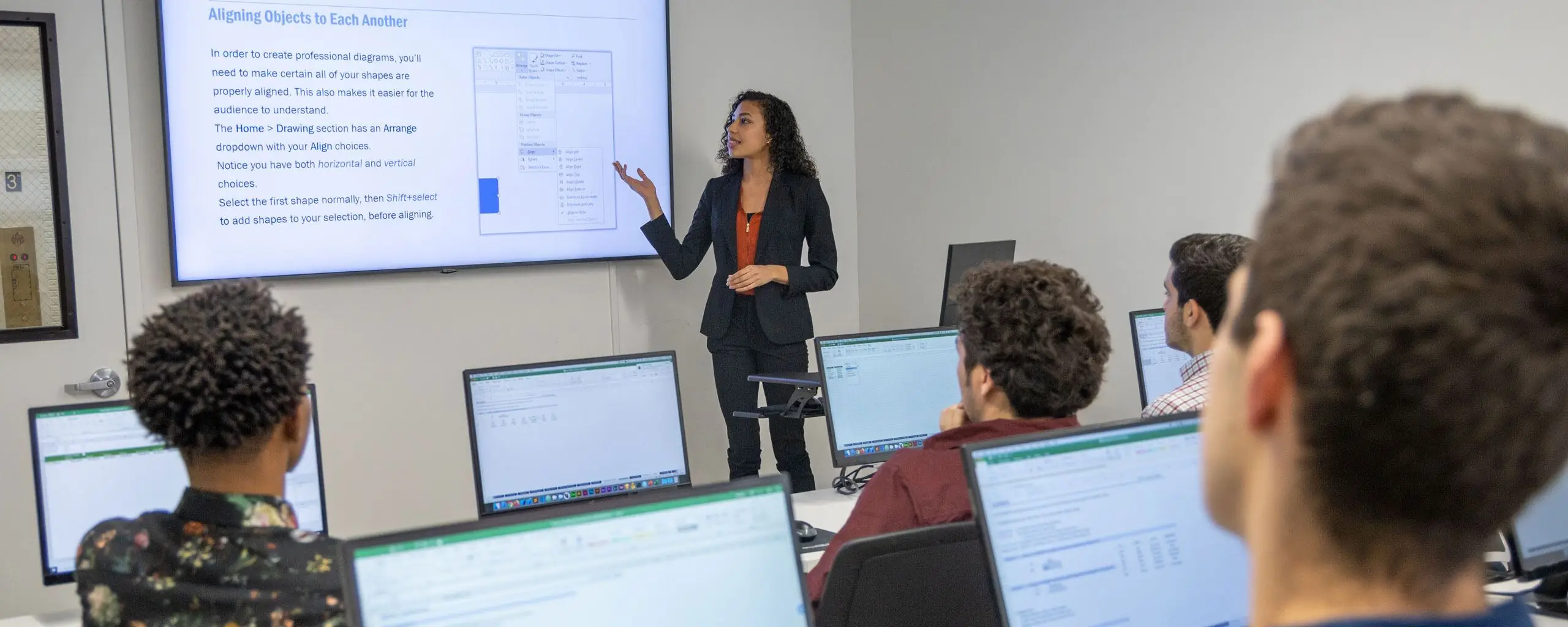
Prepare for a Microsoft Word certification exam with hands-on classes, two hours of private training, and the official study guide.
The package includes the certification exam, proctoring, an exam retake, and a class retake. Contact NYIM to coordinate your training and exam schedule. Certification is earned by passing the exam.
This is the recommended order, but some courses may be taken in a different order.
Unit 1 6 Hours
Learn to create and format Word documents, organize text and lists, and prepare documents for everyday business use.
Unit 2 6 Hours
Build on Word fundamentals with styles, templates, mail merge, macros, and tools for more complex documents.
This package also includes two hours of private training, the Microsoft Word Specialist Exam (with a free retake), and proctoring for the exam. Schedule the private training and exam after you complete the group class.

This package also includes two hours of private training, the Microsoft Word Specialist Exam (with a free retake), and proctoring for the exam. Schedule the private training and exam after you complete the group class.
From our hands-on training style to world-class instructors and custom-crafted curriculum, we deliver results our alumni are proud of.



Vincent Ty was patient, gave duplicate examples and went at a pace of which onsite and Zoom participants could follow. For the first time shortcuts and quick access along can become a part of my usage. I like original usage 100%, but having shortcuts and quick access lends to production time.
The Intermediate-Advanced Word class with Mike was terrific! A lot of hands on exercises and very helpful tips.
Excellent classes for all levels of users. Very applicable
Very comprehensive. Even if you've been using Word for years, you'll gain some tips of the trade (:
There is much more to know than what we think we already know. This class for sure showed it.
I've been using Microsoft Word for years. This class unearthed a lot of great tips for me that I did not know were available. Instructor is very knowledgeable and helpful.
Microsoft Office Word Level 1 was a great class to take, I highly recommend enrolling in this class. I was familiar with the content but I honestly learned much more in this class with Mike.
The online experience on Zoom was better than I could've expected. Don't let the absence of the classroom create an absence of an education.
Practical application, Real life scenarios, patient instructor
I learned a lot from my class. I was surprised by how much I didn't know after using the program for years. The instructor (Thomas) was fantastic, very engaging and knowledgeable.
I attended Microsoft Word Levels 1 & 2 with Mike Green as the instructor. He is a very friendly and knowledgeable person and answered all questions promptly and completely to my satisfaction. Without any reservation I will recommend his services to anyone.
Mike Green was an absolutely wonderful teacher who is obviously an expert in both Microsoft word and excel. He was able to explain difficult concepts in an understandable manner and gave me a real confidence boost in only a day's worth of teaching instruction. I recommend Mr. Green to any pupil who wants to learn either complicated or simple Microsoft concepts quickly and in a relaxed atmosphere.
I took the Word course with Karen and she was terrific. It was like having a personal tutor as she addressed many of the specific problems I had in working with Word vs. WordPerfect. For the first time I understood how various aspects of Word work.
The Word class I took with Karen was great. There was no pressure and she took her time with me. I also met client manager, who helped schedule the class. Very sweet. Both were very helpful. It was a great refresher. I look forward to taking the Excel class.
Showing 14 of 14 reviews
Learn the concepts and skills covered in this program or your tuition is on us. See details and terms & conditions.

Work on projects proven to boost retention

Refined over many cohorts for an optimal learning experience
Excellent classes and excellent venue! It has just the right level of personal attention and class participation. I would highly recommend NYIM and look forward to taking future classes there. – Hazel S.

Experienced educators who are driven to help you succeed
Refresh the materials and gain additional practice
Attend this course in-person in NYC or live online. Engage with expert instructors, ask questions, and get feedback on your exercises and projects.
Unlike other providers, these are not mass open-enrollment classes. At NYIM Training, you’ll learn in small groups (typically 8-15 students) and receive personalized attention.
Get face-to-face interaction with an instructor and other students when you learn at our 185 Madison Ave, NYC campus. Courses are hands-on with a computer and software provided.
Get the same interactivity and access to the instructor as in-person students. There are no extra fees and we’ll work with you to ensure your remote setup is perfect.


Upon completion of this course, you’ll receive an official certificate testifying to your mastery of the curriculum. We’ll send you a link where you can download your certificate, share it online with your friends, post it to your professional network on LinkedIn, and view all your earned certificates. Congratulations on your achievement!
Shareable on


We offer a single free retake of any module or the whole program within a year.
You can also access recordings of each session in your student portal within one business day of the session’s end. Recordings are available for 30 days after the session.


Yes, this course is open to beginners. Students must be comfortable using a computer. No other prior knowledge is required.
This course does not qualify for payment plans or student financing. See our Payment Plan FAQ to find related programs that qualify.
Live online attendance is available for selected upcoming dates. Check the schedule for each date's attendance format and time zone before enrolling.
You have some options:
There are no extra fees or taxes for our courses. The price you see on this page is the maximum you’ll pay us.
However, if you plan to take the course live online, you may need to obtain required software. We’ll help you get set up with a free trial of paid software prior to the class. Most of our coding classes utilize freely-available open-source software. For most of our design and motion graphics courses, we will help you get set up with a free trial of Adobe Creative Cloud. If you attend the course in-person, we will have a computer already set up for you with all of the required software for no additional cost.
This program has a single package price. Additional discounts do not apply.
