Intermediate Excel for Business
Master VLOOKUP, Pivot Tables, formulas and functions in this hands-on course. Learn the essential Excel skills with real-world projects from the experts.
Build on Excel fundamentals with PivotTables, lookup functions, and tools for managing data. Practice VLOOKUP and XLOOKUP, split and join text, create dropdown menus, and sort and filter datasets.
Use logical and conditional functions such as IF, AND, OR, SUMIFS, and COUNTIFS to answer questions about your data. Continue the full progression in the Excel for Business Bootcamp.
Attendees must have beginner Excel skills equivalent to our Excel Fundamentals course, including basic functions and formulas, printing, formatting, basic charts, and tables.
From our hands-on training style to world-class instructors and custom-crafted curriculum, we deliver results our alumni are proud of.
I have taken two Excel classes at NYIM and they were both fantastic. Garfield is a really skilled teacher and I learned so much! I plan on taking more classes when I can. Highly recommend these classes!
Sandhya B.
The class was amazing and the instructor was superb!
Melissa L.
I had a fantastic experience in NYIM's Intermediate Excel class. Staff was very helpful in guiding me on which course to take based on my current skill set. Scheduling was easy as there were multiple days, times, and formats offered. I took the course over two weekday nights with Garfield. The facilities are clean and modern and offer complimentary water, coffee, and snacks. Garfield was an expert and made learning excel fun (which is not easy to do). I am able to apply what I learned directly to my work. At the end of the course, they offer a handout, online courses, and a copy of the workbook from the training which makes it an incredible value. Would highly recommend NYIM for any excel training, and will definitely be booking advanced excel courses with them in the near future.
David C.
Great instructors, they are patient! The materials are great, and you can retake the class once if you need a refresher! I highly recommend them!
Eun K.
I took NYIM Training's Intermediate Excel 2016 training this week, and I was impressed by the content and the trainer, Mike. The in-class exercises were all in one multi-tab spreadsheet which included step-by-step instructions for almost all of these, and you send the spreadsheet with any notes you made to yourself at the end of the day for future reference. No wasted time. Plenty of opportunity for questions. I have had other computer training elsewhere, but NYIM was unique in providing big-picture methods, tips, and shortcuts that were useful even for Excel tasks I already knew well. Plus, coffee and snacks to keep you going!
Rob P.
Thank you Michael for teaching this course!! Your knowledge of the material really helped me to feel confident in taking what I've learned in the classroom and applying it to my newly assigned work projects. I would recommend this class to anyone wanting a better understanding of Excel.
Tracy A.
Great Excel Training! Garfield does a great job at instilling actionable tips and shortcuts that can really be used ASAP! Would recommend to anyone looking to enhance their skillset!
Aston F.
I retook this course. Garfield did not teach my first course but he taught my second course. He is a fantastic teacher. He is so clear and methodological. I highly recommend this class.
Dominika J.
Just finished excel level 2 class. Went to review my excel skills before starting new job but ended up learning new tricks and functions also. The lecturer (Garfield) was very calm,kind, and informative. Thank you, Garfield!
Bokyong A.
The instructor Garfield was patient, informative and precise!
Lisa N.
Student rating for Intermediate Excel for Business: 4.8 stars by 3,457 students
Intermediate Excel was great! Our instructor, Mike, was very patient and happy to answer any questions that came up along the way. VLOOKUPS aren't nearly as intimidating now that I've taken the class.
I would definitely recommend these classes to improve your excel skills. I use excel everyday and having this knowledge will cut time on work significantly.
We could ask as many questions as necessary, and Garfield answered them all.
Life-changing, super helpful! I loved the energy the instructor, Mike, had. It was very interactive and informative. Learned a lot :)
After participating in the Intermediate Excel for Business training, I now feel much more confident about using Excel in my job. I've been intimidated by Excel for quite some time but now I see it as a tool to experiment with and learn from!
Thorough, patient, and enthusiastic instructor; super helpful Excel tips for business.
Excel class worth taking.
Very well paced, easy to follow Excel class!
Adebayo was really helpful. I learned a lot that I did not know prior to taking the class.
No prior homework necessary, this class will break down Excel need-to-knows for you and continue building on your new knowledge throughout the course.
I highly recommend this class and the instructor. It will definitely add to your knowledge base, even if you are an experienced user.
The instructor was fantastic! He explained the concepts clearly and patiently, and encouraged questions. I will be able to apply much of what I learned in this class directly to my work.
Great pace, instructions and applicable for business setting. It helped me understand how to set up my Excel sheets to be more practical.
The class was valuable and comprehensive, and the instructor was knowledgeable yet patient with every learner.
This class opened my eyes to a world of functions I was unaware existed. I thought I knew Excel before, but now I can truly say that I have an in-depth understanding of this software.
This Intermediate Excel for Business training was very useful and easy to follow along. The content was helpful and the examples on how the tasks are used are extremely informative. This content in the class was very helpful even if you are knowledgeable with excel, but need a refresher on some of the more intricate ways excel can be performed. I highly recommend this class.
Excellent delivery, with concise and thorough explanations from our instructor Garfield. Well paced, useful information that is suited to the day to day reporting needs of my team.
The Intermediate Excel class was a very thorough walk through of advanced skills. The instructor was very knowledgeable and would explain the application in a variety of ways to illustrate Excel's capabilities. The class is a very good investment of both time and money. I recommend it to anyone interested in furthering their Excel skills.
These excel classes are outstanding. I would highly recommend to colleagues in the field, especially if you're a beginner or apprehensive about getting started!
Even through a virtual training, I was able to learn as much as I would have in person. I appreciated the patience of the instructor as well as the easy-to-follow steps for each of the different topics.
Totally recommend to take it. I already know what I will be using starting tomorrow in my work.
I would recommend this class to anyone who uses Excel. It is one day of learning that will save you countless hours of work and teaching yourself through looking up stuff on Google!
Worth every minute. It will make you more confident in your work ability.
Garfield was very professional and look forward to other classes conducted by him.
The course was very informative and the instructor was fantastic. Garfield is knowledgeable, professional and has a great balance of learning with humor.
Showing 25 of 55 reviews
Learn the concepts and skills covered in this course or your tuition is on us. See details and terms & conditions.
Work on projects proven to boost retention
Refined over many cohorts for an optimal learning experience
I have taken two Excel classes at NYIM and they were both fantastic. Garfield is a really skilled teacher and I learned so much!
— Sandhya B.
Experienced educators who are driven to help you succeed
Refresh the materials and gain additional practice
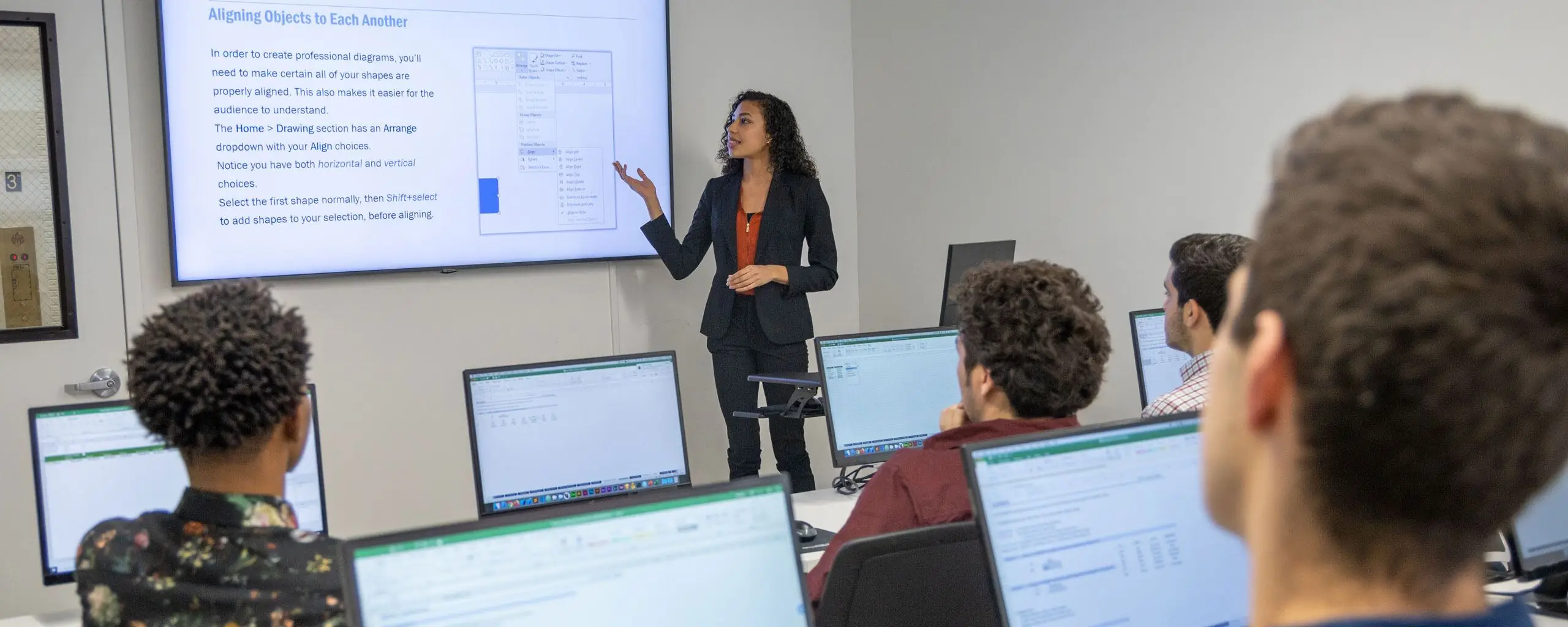
Attend this course in-person in NYC or live online. Engage with expert instructors, ask questions, and get feedback on your exercises and projects.
Unlike other providers, these are not mass open-enrollment classes. At NYIM Training, you’ll learn in small groups (typically 8-15 students) and receive personalized attention.
Get face-to-face interaction with an instructor and other students when you learn at our 185 Madison Ave, NYC campus. Courses are hands-on with a computer and software provided.
Get the same interactivity and access to the instructor as in-person students. There are no extra fees and we’ll work with you to ensure your remote setup is perfect.
Upon completion of this course, you’ll receive an official certificate testifying to your mastery of the curriculum. We’ll send you a link where you can download your certificate, share it online with your friends, post it to your professional network on LinkedIn, and view all your earned certificates. Congratulations on your achievement!
Shareable on
We offer a single free retake of the class within a year.
You can also access recordings of each session in your student portal within one business day of the session’s end. Recordings are available for 30 days after the session.
Excel features and the interface vary by version and operating system. Check the course’s software requirements before enrolling. If you plan to use an older version or Excel for the web, contact NYIM to confirm whether it supports the exercises.
Attendees must have beginner Excel skills equivalent to our Excel Fundamentals course, including basic functions and formulas, printing, formatting, basic charts, and tables.
This course does not qualify for payment plans or student financing. See our Payment Plan FAQ to find related programs that qualify.
Live online attendance is available for selected upcoming dates. Check the schedule for each date's attendance format and time zone before enrolling.
You have some options:
There are no extra fees or taxes for our courses. The price you see on this page is the maximum you’ll pay us.
However, if you plan to take the course live online, you may need to obtain required software. We’ll help you get set up with a free trial of paid software prior to the class. Most of our coding classes utilize freely-available open-source software. For most of our design and motion graphics courses, we will help you get set up with a free trial of Adobe Creative Cloud. If you attend the course in-person, we will have a computer already set up for you with all of the required software for no additional cost.
These related courses share skills and topics with Intermediate Excel for Business. Select up to two and tap Compare selected courses to view a side-by-side comparison.
Build beginner through advanced Excel skills in 18 hours. Practice formulas, charts, PivotTables, lookup functions, and recorded macros.
Excel for Business Bootcamp covers everything in this course, plus the fundamentals and advanced material, bundling all three group classes with free retakes over three days.
Build Excel skills for business with hands-on lessons designed to boost your productivity. You’ll learn to create charts and tables, master fundamental formulas and functions like AutoSum and conditional formatting, and format data for clear visual presentations.
Take Excel for Business Fundamentals first if you are new to Excel, since this course assumes beginner skills in basic functions, formulas, formatting, and charts.
Level up your Excel skills by mastering sophisticated techniques like advanced Pivot Tables, task automation through macros, and analytical tools. You'll also learn to write nested IF statements, apply arrays, and use conditional formatting with custom formulas.
Choose Advanced Excel for Business if you want to focus on macros, INDEX-MATCH, What-If Analysis, and nested functions after mastering this course's VLOOKUP and Pivot Tables.
This program includes our three Excel courses (Fundamentals, Intermediate, and Advanced), two hours of private training, and the Excel Specialist Exam fee with a free retake.
Excel Specialist Certification Program covers everything in this course, plus fundamentals, advanced techniques, two hours of private training, and the Excel Specialist Exam fee.
Purchase group class vouchers at a discount for our regularly-scheduled group classes in NYC, or create a custom training program at your offices.
We’ve trained thousands of companies!
Let us create the perfect program for your team.
Use PivotTables to summarize datasets and lookup functions to retrieve related information. Practice text functions for cleaning lists, data validation for controlling entries, and sorting and filtering to find relevant records.
Apply logical and conditional functions to calculations, and use navigation and keyboard shortcuts to work more efficiently. Hands-on exercises reinforce each topic.
This course builds on basic formulas, charts, and worksheet formatting. Review the prerequisites and available schedules before enrolling.
This policy was updated on June 25, 2026
Your privacy is important to us. It is the policy of NYIM Training to respect your privacy regarding any information we may collect from you across our website and other sites we own and operate.
We only ask for personal information when we truly need it to provide a service to you. We collect it by fair and lawful means, with your knowledge and consent. We also let you know why we’re collecting it and how it will be used.
We only retain collected information for as long as necessary to provide you with your requested service. What data we store, we’ll protect within commercially acceptable means to prevent loss and theft, as well as unauthorized access, disclosure, copying, use or modification.
We don’t share any personally identifying information publicly or with third parties, except when required to by law.
Our website may link to external sites that are not operated by us. Please be aware that we have no control over the content and practices of these sites, and cannot accept responsibility or liability for their respective privacy policies.
You are free to refuse our request for your personal information, with the understanding that we may be unable to provide you with some of your desired services.
Your continued use of our website will be regarded as acceptance of our practices around privacy and personal information. If you have any questions about how we handle user data and personal information, feel free to contact us.
By accessing our websites you are agreeing to be bound by these terms of service, all applicable laws and regulations, and agree that you are responsible for compliance with any applicable local laws. If you do not agree with any of these terms, you are prohibited from using or accessing this site. The materials contained in this website are protected by applicable copyright and trademark law.
In no event shall NYIM Training or its suppliers be liable for any damages (including, without limitation, damages for loss of data or profit, or due to business interruption) arising out of the use or inability to use the materials on NYIM Training’s website, even if NYIM Training or a NYIM Training authorized representative has been notified orally or in writing of the possibility of such damage. Because some jurisdictions do not allow limitations on implied warranties, or limitations of liability for consequential or incidental damages, these limitations may not apply to you.
The materials appearing on NYIM Training’s website could include technical, typographical, or photographic errors. NYIM Training does not warrant that any of the materials on its website are accurate, complete or current. NYIM Training may make changes to the materials contained on its website at any time without notice. However, NYIM Training does not make any commitment to update the materials.
NYIM Training has not reviewed all of the sites linked to its website and is not responsible for the contents of any such linked site. The inclusion of any link does not imply endorsement by NYIM Training of the site. Use of any such linked website is at the user’s own risk.
NYIM Training may revise these terms of service for its website at any time without notice. By using this website you are agreeing to be bound by the then current version of these terms of service.
These terms and conditions are governed by and construed in accordance with the laws of New York and you irrevocably submit to the exclusive jurisdiction of the courts in that State or location.