Custom Training Curriculum
Call us for a free consultation and we’ll create a custom curriculum catered to your learning objectives and industry-specific requirements.

Upskill or reskill your workforce with hands-on Design corporate training. Conduct the training onsite at your location or live online from anywhere. You can also purchase vouchers for our public enrollment Design courses.
Complete the form below and we’ll get back to you within 1 business hour, or email us directly at corporate@nobledesktop.com.

Learn Photoshop through hands-on projects in retouching, color correction, layers, masks, and compositing. Prepare images for web and print.

Build expertise in Adobe InDesign through this course’s hands-on training that’s designed to boost your layout and typesetting skills. You’ll learn to style text, set up documents with bleeds, combine text and images, apply parent pages, and utilize advanced typography techniques.

Create vector graphics in Adobe Illustrator. Practice drawing tools, shapes, color, layers, masks, and effects, then export designs for print and digital use.

This course is intended for students who are already familiar with Photoshop, InDesign, and Illustrator, and are looking to expand their knowledge of design concepts and processes.

You’ll learn how to organize and import footage, exporting options, how to use the Timeline, create titles, work with PSDs, use audio tracks, and more. Then, we'll dive into more advanced features including multicam editing, color correction, speeding up footage, and stop-motion loops.

Learn After Effects through hands-on animation projects using text, graphics, photos, and video. Practice timing, transitions, effects, and rendering.

Learn Premiere Pro basics in a one-day class. Edit video and audio, add titles and transitions, and export a finished sequence.

Animate logos, graphics, and photos in Adobe After Effects. Learn timeline and layer basics, easing, transitions, and animated GIF export.

This one-day class will teach you the fundamentals of Sketch to create user interfaces. You’ll create wireframes and turn them into finished designs that are optimized for mobile, tablet, and desktops.

Adobe XD training is no longer offered. Explore the Figma Bootcamp for interface design, reusable components, and prototyping.

Learn to design websites for mobile and desktop using timeless principles such as color, layout, and typography, as well as visual conventions, standards, and trends. You will learn the process and principles for designing responsive websites through lectures and hands-on exercises.

In this workshop, you'll learn basic drawing and modifying techniques for drafting and technical drawing, using AutoCAD to create drawings that can be used to build real objects both mechanical and architectural. This is the first day of our Beginner AutoCAD 3-day class.

Learn AutoCAD basics for 2D drafting. Create and edit drawings, use layers and blocks, add dimensions, and prepare layouts for printing.

In this class, you will learn how to create and effectively set up templates by setting units, drawing limits, and scales, defining layouts for printing sheets and creating styles.
For over two decades, NYIM Training has created and delivered the highest-rated corporate training programs in NYC. We have extensive experience developing curriculum for a variety of professional contexts, including onsite, in our Manhattan classroom, and live online. All of our programs can be completely customized to meet your team’s unique needs.

Call us for a free consultation and we’ll create a custom curriculum catered to your learning objectives and industry-specific requirements.

Learning does not end when the instructor goes home. Trainees receive handouts, certification exam guides, and access to our premium training videos to help support and reinforce what they’ve learned throughout the training.
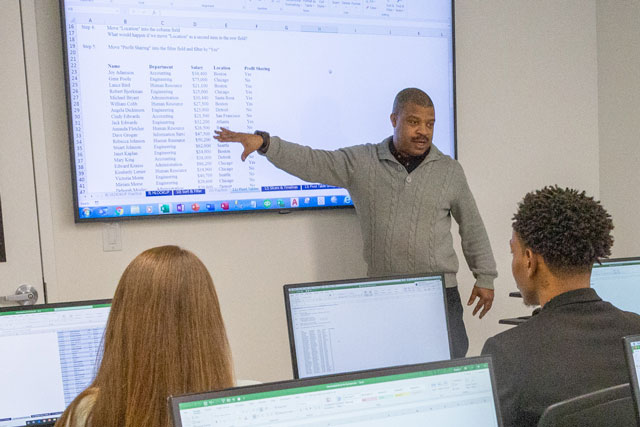
Study under experts who work on Wall Street and in Fortune 500 companies. We hire accomplished professionals with real-world experience and a talent for teaching the techniques and tools they use every day.

Train your team on your schedule — we’ll work around you. For voucher programs, our courses are scheduled frequently on weekdays, weeknights, and weekends so your employees can choose the time that works best.
Send employees to our regularly-scheduled public enrollment classes held live online or in NYC. Discounts available for large purchases. See the upcoming schedule below for general availability.
| Course, dates, and times | Price and duration | Description | Registration |
|---|---|---|---|
| October 2026 | |||
|
October 26–28
Monday to Wednesday
10am–5pm
EDT
|
$975
18 Hours
|
Learn Photoshop through hands-on projects in retouching, color correction, layers, masks, and compositing. Prepare images for web and print. |
|
|
October 26–November 11
Mondays & Wednesdays
6–9pm
ET
|
$975
18 Hours
|
Create vector graphics in Adobe Illustrator. Practice drawing tools, shapes, color, layers, masks, and effects, then export designs for print and digital use. |
|
| November 2026 | |||
|
November 2–4
Monday to Wednesday
10am–5pm
EST
|
$599
18 Hours
|
Learn AutoCAD basics for 2D drafting. Create and edit drawings, use layers and blocks, add dimensions, and prepare layouts for printing. |
|
|
November 2–4
Monday to Wednesday
10am–5pm
EST
|
$975
18 Hours
|
Create vector graphics in Adobe Illustrator. Practice drawing tools, shapes, color, layers, masks, and effects, then export designs for print and digital use. |
|
|
November 2–18
Mondays & Wednesdays
6–9pm
EST
|
$599
18 Hours
|
Learn AutoCAD basics for 2D drafting. Create and edit drawings, use layers and blocks, add dimensions, and prepare layouts for printing. |
|
|
November 2 & 4
Monday & Wednesday
6–9pm
EST
|
$325
6 Hours
|
In this workshop, you'll learn basic drawing and modifying techniques for drafting and technical drawing, using AutoCAD to create drawings that can be used to build real objects both mechanical and architectural. This is the first day of our Beginner AutoCAD 3-day class. |
|
|
November 5–6
Thursday to Friday
10am–5pm
EST
|
$449
12 Hours
|
In this class, you will learn how to create and effectively set up templates by setting units, drawing limits, and scales, defining layouts for printing sheets and creating styles. |
|
|
November 8–22
Sundays
10am–5pm
EST
|
$975
18 Hours
|
Create vector graphics in Adobe Illustrator. Practice drawing tools, shapes, color, layers, masks, and effects, then export designs for print and digital use. |
|
|
November 23–December 7
Mondays & Wednesdays
6–9pm
EST
|
$449
12 Hours
|
In this class, you will learn how to create and effectively set up templates by setting units, drawing limits, and scales, defining layouts for printing sheets and creating styles. |
|
|
November 30–December 2
Monday to Wednesday
10am–5pm
EST
|
$975
18 Hours
|
Build expertise in Adobe InDesign through this course’s hands-on training that’s designed to boost your layout and typesetting skills. You’ll learn to style text, set up documents with bleeds, combine text and images, apply parent pages, and utilize advanced typography techniques. |
|
Showing 10 of 83 courses
We’ll discuss your training needs free of charge. If you’re not sure exactly what training your company needs, our expert instructors are ready to learn about your goals and help decide what learning program is best. We make your goals our priority so that you and your team can experience impactful development that leads to dramatic growth.